راهنماها
In-Depth Comparison

SyncDrop vs LocalSend: What's the Core Difference?

While both SyncDrop and open-source LocalSend enable cross-platform local peer-to-peer (P2P) transfers without internet, their core product positioning and functional depth differ significantly. Here is an honest breakdown to help you choose.

In-Depth Comparison

In short: LocalSend is a pure, lightweight 'ad-hoc local file transfer utility', whereas SyncDrop is a complete media workflow platform combining 'instant P2P transfers + automated photo backup + NAS/private cloud media hub + professional wireless camera tethering'.

Lightweight FOSS File Transfer

LocalSend

A popular cross-platform open-source app built with Flutter. Focuses on lightweight, ad-hoc device-to-device file and text sharing, relying on manual triggers every time.

FOSS · Manual Trigger · Ad-Hoc Drop
Complete Media Workflow Platform

SyncDrop

Tailor-made for photos, videos, and creative media workflows. Combines instant sharing, multi-condition automated backup, NAS/cloud unified media hub, and studio camera tethering.

Auto-Backup · NAS Hub · Studio Tethering · Lossless RAW
1. Automation Capabilities

Manual Triggers vs. Multi-Condition Silent Auto Backup

LocalSend: Entirely Manual Operations

Every transfer requires both devices to launch the app (or run in foreground/background), manually select files, pick the recipient in the local device list, and confirm transmission.

SyncDrop: Disciplined Multi-Condition Automated Backup

In addition to one-tap fast sharing, the standout highlight is Automated Photo Backup with 'disciplined automation'. Users can configure composite condition triggers:

Connected to trusted home Wi-Fi (avoids triggers on public or mobile networks)
Specific location (precise geofencing)
Device is charging (prevents draining battery on the go)
New photos or videos detected in the camera roll

💡 Only when all configured conditions are simultaneously met will SyncDrop silently back up media to your PC, Mac, NAS, or cloud in the background—no app launching or manual taps required.

SyncDrop Automated Photo Backup Triggers
2. Storage Ecosystem & Protocols

Device-to-Device Only vs. Deep NAS & Cloud Integration

LocalSend: Limited to Client-Running Devices

Only supports peer-to-peer transfers between devices running the LocalSend app (or via a temporary browser web receiver). Does not connect directly to network storage servers.

SyncDrop: Native NAS Protocols + Unified Media Hub

Built-in enterprise-grade storage protocols including SMB, WebDAV, SFTP, and S3-compatible object storage (MinIO, Cloudflare R2), along with Google Drive, Google Photos, and Dropbox.

Direct Backup & Bidirectional Media Streaming

Not only can it automatically back up mobile photos directly to Synology, QNAP, TrueNAS, Nextcloud, or wireless portable hard drives, but it also acts as a Unified Media Hub—allowing you to browse, stream, upload, and download remote server and NAS assets directly within the app.
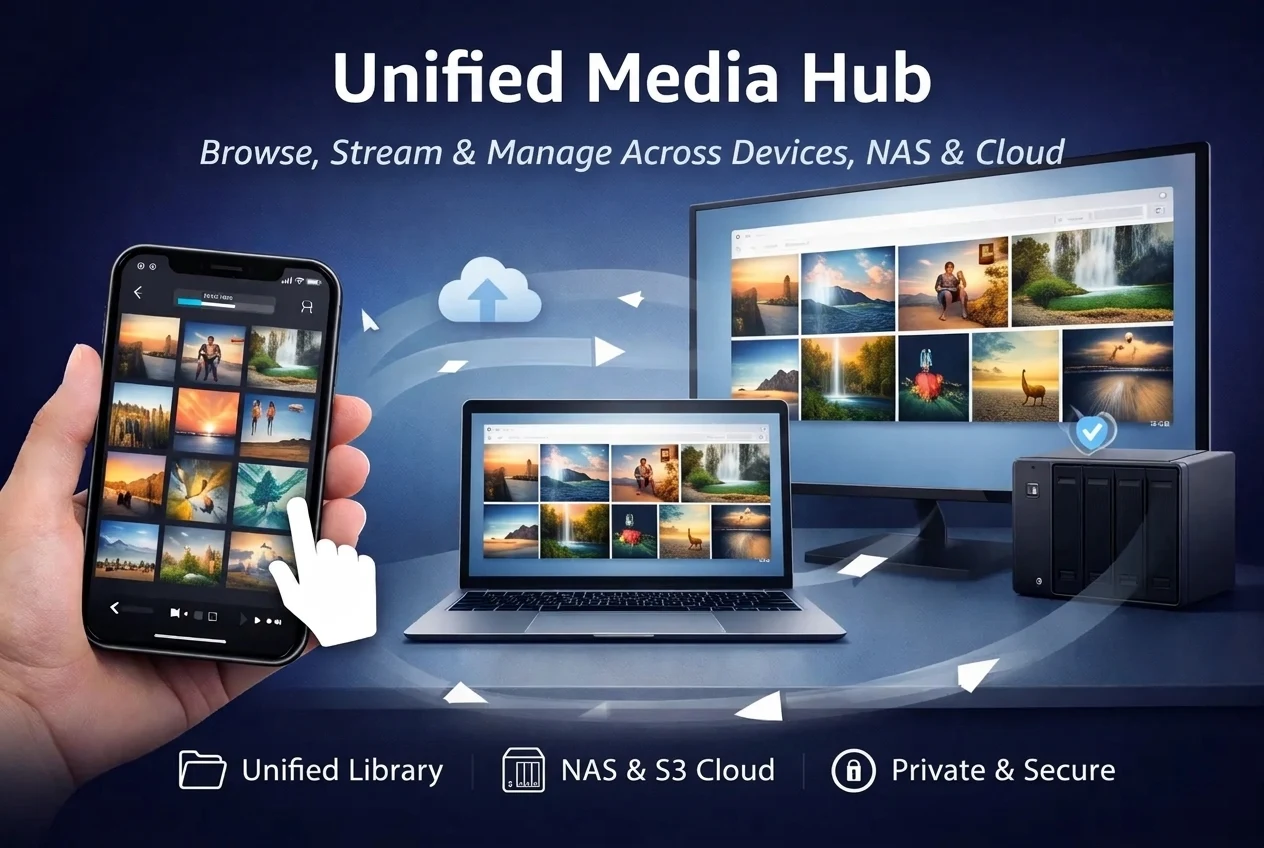
SMBWebDAVSFTPS3 / MinIOGoogle DriveDropbox
SyncDrop Unified Media Hub and NAS Protocols
3. Photography & Creative Workflow

No Creative Features vs. Wireless Tethering & Smart Display

LocalSend: General File Transfer Utility

Designed purely as a general file sharing utility, with no features tailored for photography tethering, studio proofing, or clean presentations.

SyncDrop: Studio Mode Wireless Tethering & Smart Display

Engineered specifically for creators and photographers with Camera & Studio Mode and Smart Display:

Wireless Camera Tethering (Instant Camera)

Take photos with the built-in Instant Camera; the moment the shutter is clicked, full-resolution originals (lossless HEIC, RAW, and 4K video) are transmitted in real time over the LAN to your computer, NAS, or cloud.

Desktop Studio Mode for Live Proofing

With Studio Mode enabled on your Mac/PC, every photo taken on your phone instantly pops up in a high-res preview on your desktop display (featuring pin-to-top and keyboard arrow filmstrip navigation)—ideal for commercial photo shoots and live client review.

Privacy-Protected Smart Display

Connect to a TV or projector via HDMI, USB-C, or AirPlay with native dual-screen HD rendering. The phone acts as a remote controller, and incoming phone calls, SMS codes, and social chat popups will never leak onto the big screen.

SyncDrop Studio Mode Wireless Camera Tethering
4. Media Asset Management & OS Integration

Generic File Handling vs. Specialized Photo Optimization

LocalSend: Basic Binary File Transfer

Treats photos and videos as generic binary files; once transferred, the process finishes without gallery navigation, deduplication, or system photo library integration.

SyncDrop: Deeply Optimized Photo & Video Asset Hub

Specially optimized for photographic workflows and massive family photo libraries:

Smart History & Deduplication

Automatically tracks transfer history with MD5 checksum verification to prevent duplicate transfers, and supports automatic resume on connection drops.

Lossless Formats & Metadata Retention

Completely preserves EXIF, GPS, and IPTC metadata; supports uncompressed RAW viewing and transfers, along with full playback of iOS Live Photos.

Direct Import to macOS Photos Library

On Mac, the SyncDrop Companion client can import incoming photos directly into the native macOS 'Photos' app, eliminating tedious manual import steps.

Smooth Timeline Navigator

Built-in silky smooth timeline scrubber for effortless navigation across thousands of photos and videos organized by year and month.
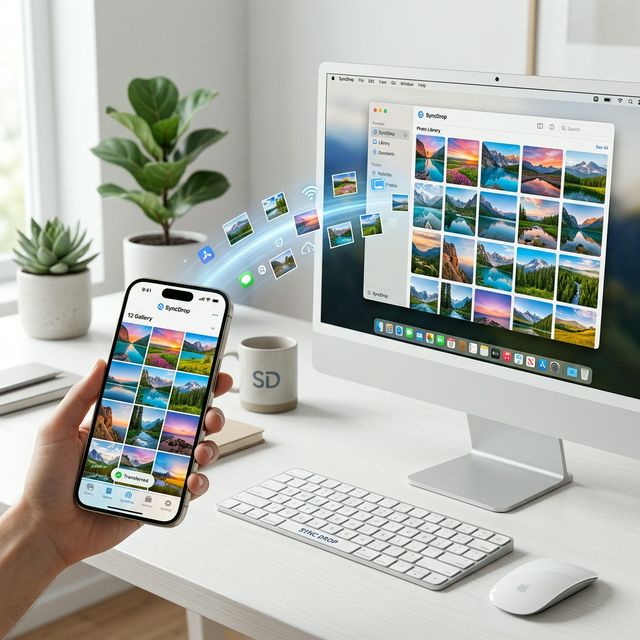
SyncDrop Companion macOS and PC Native Photo Sync
Full Comparison Matrix

SyncDrop vs. LocalSend Feature Matrix

A side-by-side comparison across all key functional and architectural dimensions

Dimension
SyncDrop
LocalSend (Open Source)
Core Positioning
All-in-one cross-platform media transfer, auto-backup, private cloud hub & camera tethering workflow
Lightweight, open-source local P2P file and text transfer utility
Open Source & Business Model
Commercial software (Free download with optional advanced Pro automation)
Free and Open Source (FOSS, built with Flutter)
Automated Backup
Supported (multi-condition background trigger: Wi-Fi, geofencing, charging, new photos)
Not supported (purely manual transfers)
NAS / Private Cloud Protocols
Native support for SMB, WebDAV, SFTP, S3, MinIO & public clouds with bidirectional streaming & browsing
Not supported (device-to-device client transfers only)
Camera Tethering & Studio Proofing
Supported (Instant Camera shutter-to-PC sync + Desktop Studio Mode auto-popup proofing)
Not supported
Privacy-Guaranteed Casting
Supported (Smart Display native HD dual-screen output, masking notifications & calls)
Not supported
Photo & Video Optimization
Deduplication history, Live Photos playback, RAW preview, macOS Photos native import, MD5 verify
Transferred as plain files; no library management or deduplication
No-Install Web Access
Supported (password-protected web browser portal for big-screen browsing, upload & download)
Supported (basic browser send/receive page)

Which One Should You Choose?

Select the right tool based on your actual workflow needs

L
Choose LocalSend if you:

  • Want a 100% free and open-source (FOSS) utility with zero paid features
  • Only need occasional, quick file or text sharing between two devices nearby
  • Prefer manual transfers and don't need automated background backups
  • Do not use a NAS, private cloud storage, or camera tethering workflows

S
Choose SyncDrop if you:

  • Want your phone to silently back up photos to your PC or NAS when plugged in at home
  • Own a Synology, QNAP, TrueNAS, or SMB/WebDAV/S3 private cloud storage
  • Are a creator or photographer needing instant wireless camera tethering and big-screen proofing
  • Want seamless Live Photos, RAW support, and direct import into macOS native Photos
  • Need clean, presentation-grade casting to TVs/projectors without risking private notification leaks
FAQ

Frequently Asked Questions

Q:Does SyncDrop require an internet connection or cloud upload?

No. All SyncDrop device transfers and local backups operate entirely over your local network (Wi-Fi or mobile hotspot) via peer-to-peer (P2P). Your files never transit through third-party cloud servers.

Q:Will SyncDrop's background auto-backup drain my phone battery?

No. SyncDrop utilizes a 'disciplined automation' model that allows you to specify 'Only when charging'. When you are out and about during the day, auto-backup remains completely dormant.

Q:Can I have both SyncDrop and LocalSend installed on the same device?

Absolutely. SyncDrop and LocalSend use different local discovery and communication ports and do not conflict. You can use SyncDrop for automated backups and NAS media access, while keeping LocalSend for occasional quick drops.

آماده برای به دست گرفتن کنترل
خاطرات دیجیتال خود هستید؟

به هزاران کاربری بپیوندید که برای همگام‌سازی امن، سریع و بدون دردسر بین دستگاه‌ها به SyncDrop اعتماد دارند